
Business Networks, Wi-Fi & Servers in Saskatoon & Regina
Before we automated a single home, we built the infrastructure businesses run on: structured cabling, switching, firewalls, servers and wireless. We still build every commercial job from that layer up — one design, one point of contact, documented and supported by the people who built it.
- 22 years of infrastructure
- 8×5 support, 24×7 available
- Saskatoon & Regina
What does business IT infrastructure include?
It’s the physical and network layer everything else in a building depends on: structured cabling into a rack, managed switches, a firewall at the internet edge, Wi-Fi that covers the whole building, wireless links between buildings, servers and phones. Cameras, door readers, leak sensors and building controls all assume this layer works.
In a lot of buildings it doesn’t. There’s a consumer router in a cupboard, a switch nobody labelled, one flat network where the guest Wi-Fi and the server share a subnet, and a backup somebody stopped checking years ago.
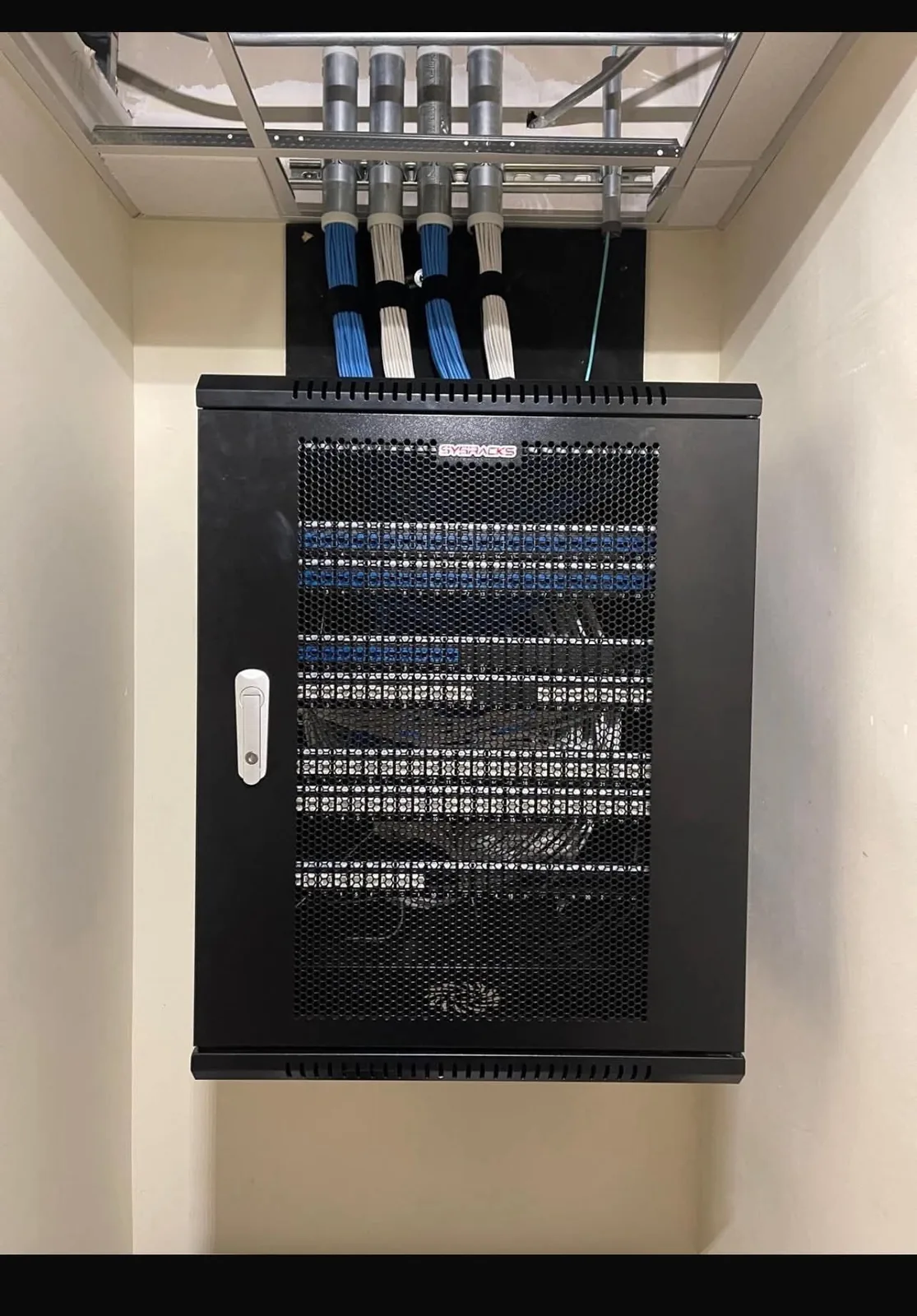
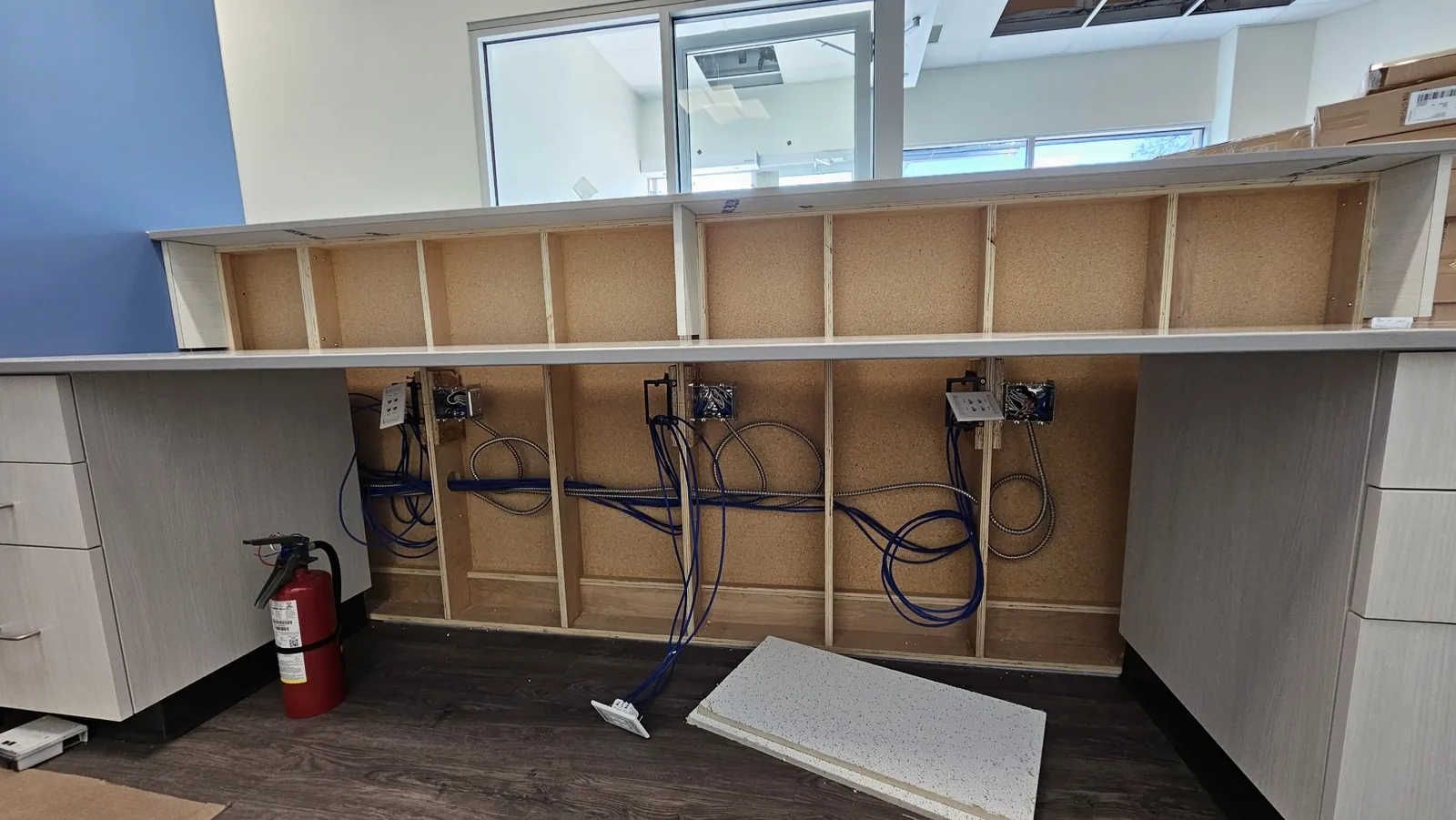
- Cabling & racksCat6 and fibre runs, numbered, tested and documented, into a rack someone can work in.
- Switching & firewallStaff, guests, cameras, doors and building systems on separate networks.
- WirelessWi-Fi by plan, wireless mesh where cable can’t go, and point-to-point links between buildings.
- Servers & phonesDell servers with a hypervisor, and VoIP that survives a move.
One platform for the network, the cameras and the doors
- One console, every device. Gateway, switches, access points, cameras and door readers managed together, so a problem shows up in one place.
- Every site from one login. Head office sees all locations; each manager sees only their own.
- No licence fees to run it. You own the hardware and the management software that runs it; there’s no per-device subscription.
- Chosen per site, not by habit. Most of our networks are UniFi. Where you have equipment worth keeping, or a requirement another platform meets better, we say so.
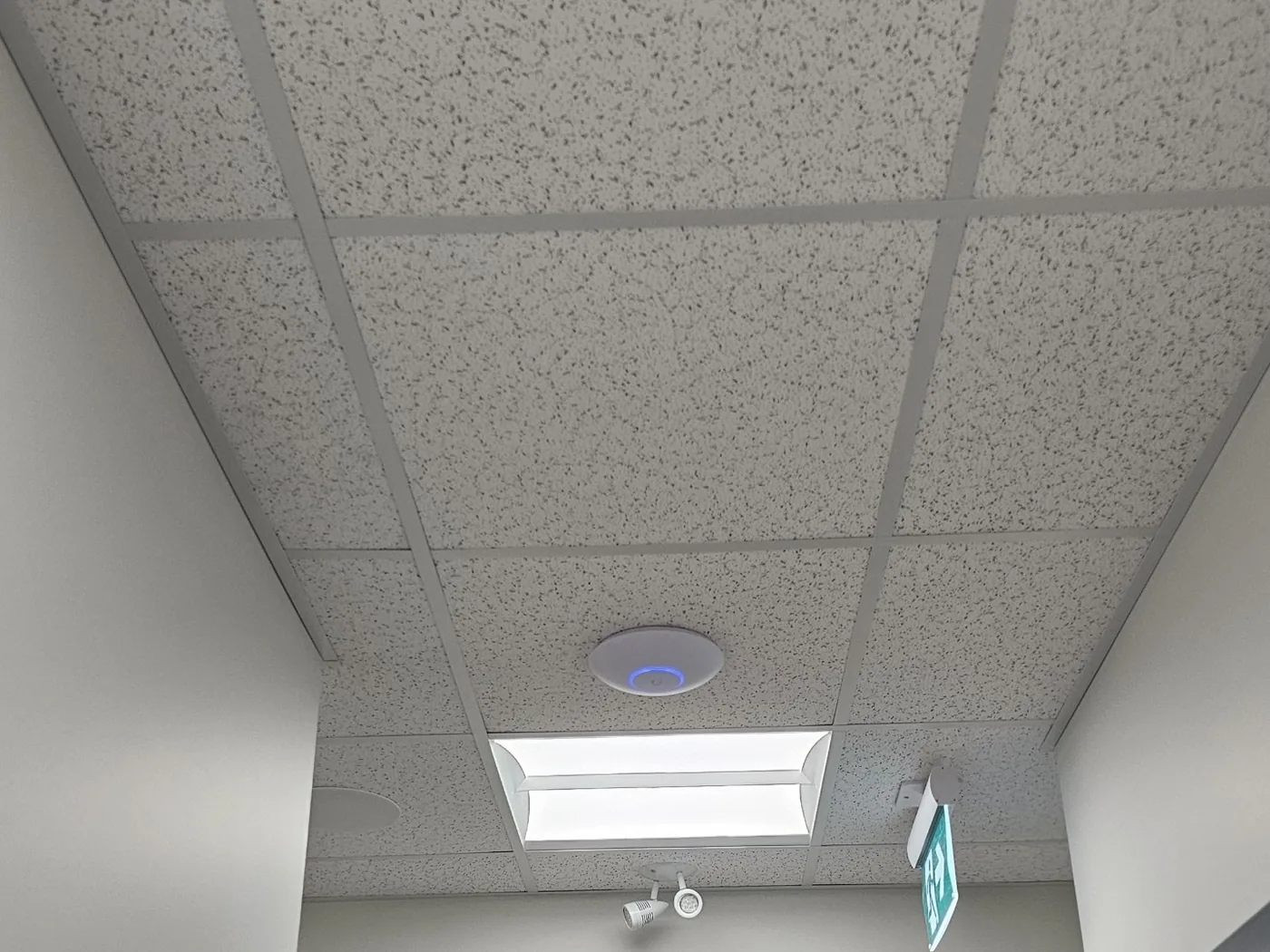
Wireless that covers the building, the yard and the building next door
Wireless that performs is a cabling job first. Then it’s choosing the right kind of wireless for each gap — which is where most installs go wrong.
Building Wi-Fi
Access points placed against a floor plan, each on its own cable, tuned for concrete, steel and lead-lined rooms that defeat consumer gear.
Wireless mesh
Where a cable genuinely can’t reach, an access point links back wirelessly. Used deliberately, never as the plan for the whole building.
Point-to-point links
A shop, a warehouse, a second building or a gatehouse joined to the main network by a wireless bridge instead of a trench.
Outdoor Wi-Fi
Yards, loading areas, patios and lots, on weather-rated access points.
Guest Wi-Fi, kept apart
A guest or amenity network with its own portal, isolated from staff, cameras and the server.
High-density rooms
Boardrooms, clinics, classrooms and lobbies where forty devices arrive at once.
Which kind of wireless does each part of the site need?
| The gap | What we use | Good to know |
|---|---|---|
| Inside the building | Ceiling or wall access points, each wired back to the rack. | Full speed at every access point. This is the default. |
| A spot cable can’t reach | A mesh access point linked wirelessly to a wired one. | Each wireless hop costs speed. Fine for a corner; wrong for a whole floor. |
| Another building on the site | A point-to-point wireless bridge. | Needs a clear line of sight. Usually far cheaper than trenching. |
| Yard, lot or loading area | Outdoor access points on the building or a pole. | Weather-rated hardware, mounted for a prairie winter. |
| Cameras far from the building | A pole with a wireless bridge and Power over Ethernet. | One mast can cover a whole yard without digging up the lot. |
The network, in the same view as the rest of the building
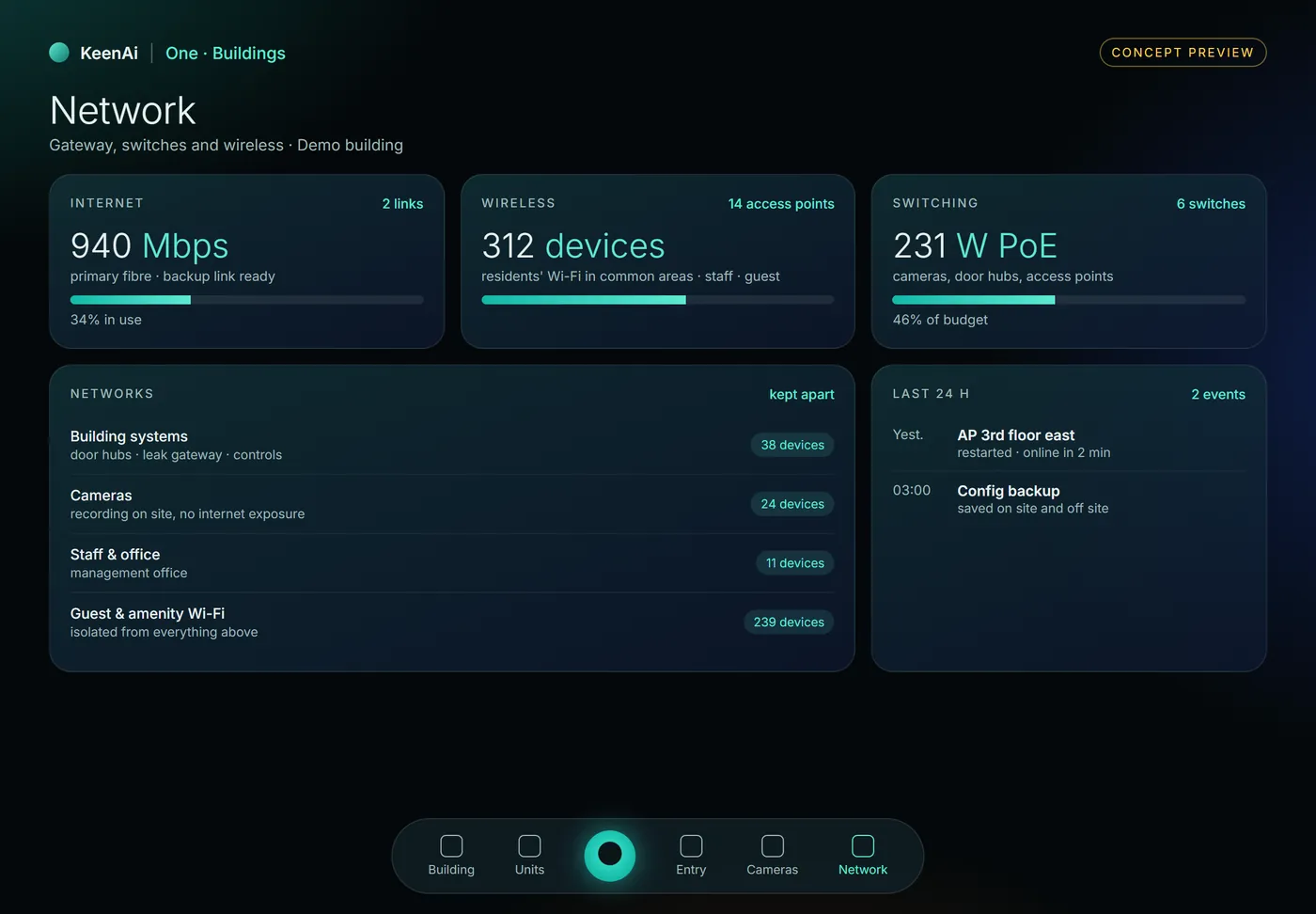
We’re bringing a building version of KeenAi One: the same core that runs our homes, with a view made for managers. The network sits beside entry, cameras and water, so “the cameras are down” and “a switch is down” are the same alert, not two phone calls.
- Internet, Wi-Fi and switching at a glance, with what’s using them.
- Networks kept apart, and you can see that they are.
- Events in plain words: what restarted, when, and whether anyone needs to act.
A total solution, on one job: Eye Surgeons of Regina
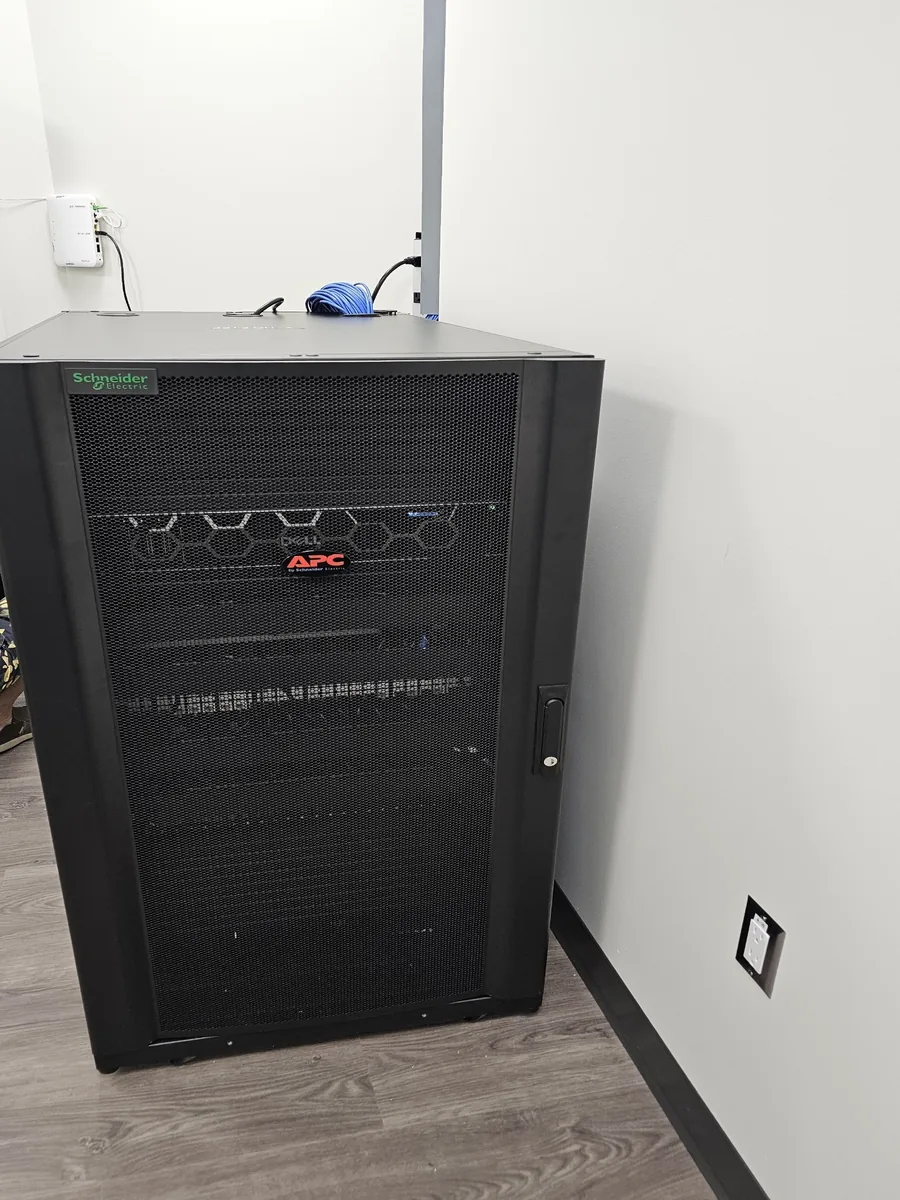
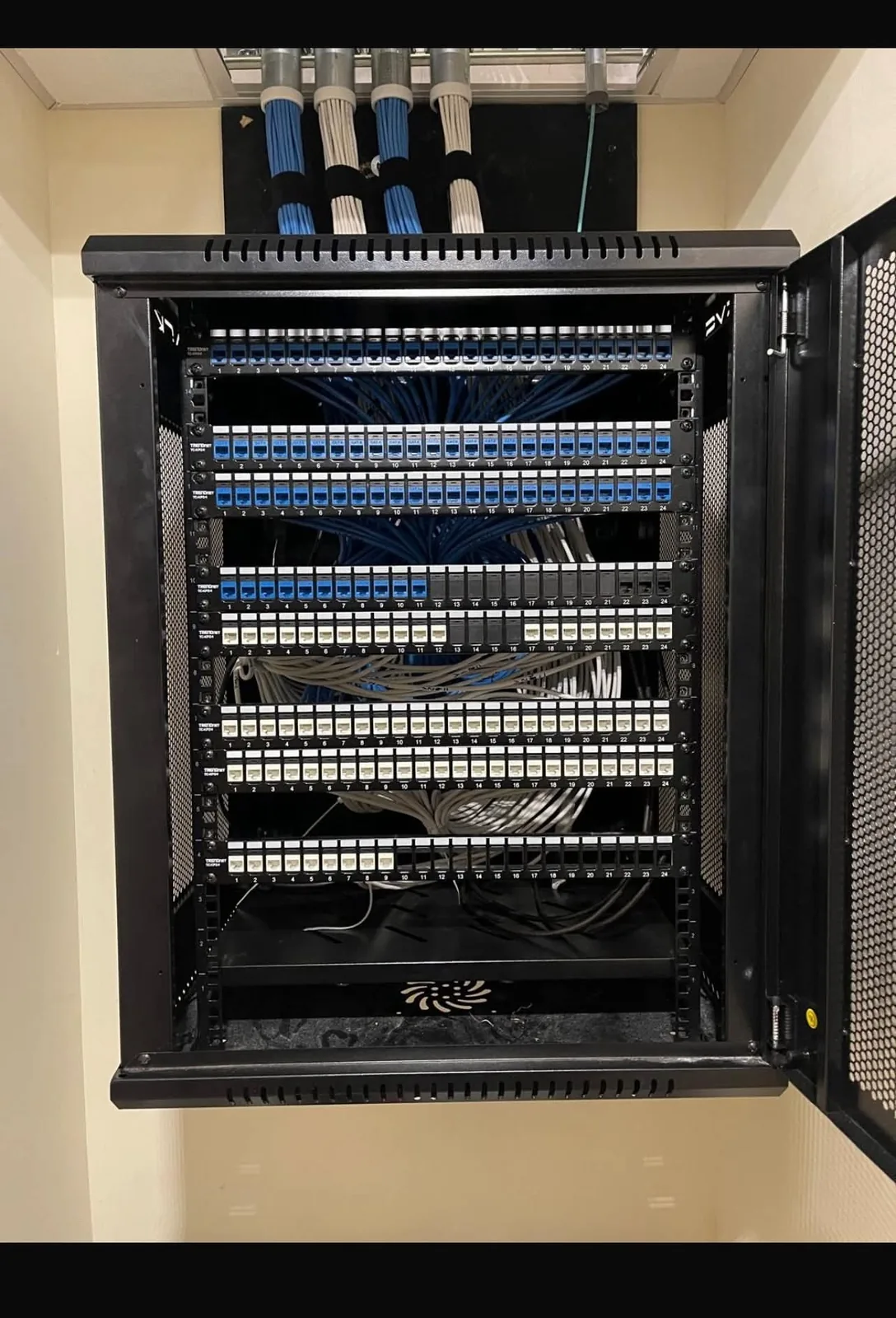
For Eye Surgeons of Regina we delivered the whole layer in one coordinated fit-out: structured cabling and the rack, managed switching with clinical systems, staff, guests, cameras and door control separated, a Ubiquiti gateway and firewall, ceiling access points placed for the floor plan, cameras and access control on the same platform, a Dell server with a hypervisor, and VoIP for the practice. One company, one design, one point of contact — instead of four trades blaming each other.
A flat network is the arrangement most small-business breaches rely on
Separate networks
Staff, guests, cameras, door controllers and servers each in their own VLAN, so a compromised device on one can’t see the others.
Remote access done properly
Through the firewall and the platform’s encrypted access, not through a port somebody opened once and forgot.
Failover where downtime costs
A second internet link that takes over when the first one drops, for sites where an outage stops the business.
Support doesn’t end at handover. It’s part of the project.
Free site assessment
What you have, what it must support, and what’s genuinely worth keeping — including the parts that are fine.
Design & fixed quote
Cabling schedule, network plan and hardware list, priced as one number and stageable.
Install & commission
Scheduled around your operating hours where downtime matters.
Handover & support
As-built documentation, credentials to named people, and 8×5 support from the people who built it — 24×7 where the project calls for it.
The hardware we build on
Network & wireless
Gateways, switches, access points and bridges
- Ubiquiti UniFi
- Ubiquiti UISP
Servers & power
Compute, storage and protected power
- Dell
- APC
Taking over
Existing equipment we assess and build around
- Cisco
- Aruba
- Fortinet
- TP-Link Omada
Highlighted: the platforms most of our commercial networks are built on. Other brand names are trademarks of their owners, listed for compatibility; this is not a claim of dealer or partner status.
Business networks & IT infrastructure: frequently asked questions
What is structured cabling?
A planned cabling system for a building rather than cables run one at a time as needs arise. Runs go back to a central rack, each one is numbered and tested, and the documentation records where every port ends. It lets the network, phones, cameras and door controllers share one well-understood physical layer.
Why does a business network need VLANs?
A VLAN separates traffic on the same physical network. Putting staff, guests, cameras, door controllers and servers on separate VLANs means a compromised device on one can’t reach the others. On a flat network, a guest laptop and a clinical server share the same space.
Why do you build on Ubiquiti UniFi?
Because one platform manages the gateway, switches, access points, cameras and door access together, across every site, without per-device licence fees. That makes systems easier to support and cheaper to own. Where another platform suits a site better, we’ll say so.
Is wireless mesh as good as wired access points?
No, and it isn’t meant to be. Each wireless hop costs speed, so we wire access points wherever we can and use mesh only for the spot a cable genuinely can’t reach. A whole building on mesh is a shortcut you pay for every day.
Can you connect a second building without trenching?
Usually, yes. A point-to-point wireless bridge links a shop, warehouse or gatehouse to the main network, as long as there’s a clear line of sight between the two. We check that on site before promising it.
Can you take over infrastructure somebody else installed?
Yes, and much of our work is exactly that. Sound cabling, racks and hardware get reused where they’re worth keeping, and we tell you honestly which parts aren’t. The first deliverable is usually a clear account of what you actually have.
Do you provide ongoing IT support?
Yes. Support comes with our projects rather than being sold separately afterwards. Standard cover is 8×5, and 24×7 support is in place on projects that need it. Because we designed and documented the system, the person supporting it already knows how it was built.
Can you work alongside our existing IT provider?
Yes, and it’s common. We can handle the physical layer, network and building systems while your IT provider keeps workstations and software. What matters is that the boundary is written down so nothing falls between us.
Do we have to do the whole stack at once?
No. Plenty of projects are one piece — a rack rebuilt, a network segmented, Wi-Fi extended to the back office, or a server replaced. The design is done so later phases fit what’s already installed.
Can one company really do cabling, network, servers, cameras and phones?
That combination is where KeenAI started, and it’s why the smart-building side works. One design and one point of contact removes the most expensive part of a multi-vendor project: the argument about whose fault it is.
Do you manage several locations?
Yes. Multiple sites run on one platform with per-site access, so a manager sees only their location while head office sees all of them.
Does KeenAI do IT infrastructure work in Regina?
Yes. KeenAI is based in Saskatoon and takes infrastructure projects across Saskatchewan, including Regina, and will consider work in Alberta where the project justifies the travel.
How much does a business network cost?
It depends on the building, the number of runs and what the network has to carry. You get a documented design and a fixed quote after a free site assessment, before any work begins.
Updated October 2026.
Everything else in the building rides on the network
Find out what your business is actually running on
A straight account of your cabling, network, wireless and servers — what’s sound, what’s a risk, and what a first phase would cost.
Saskatoon, Warman, Martensville, Regina and across Saskatchewan; Alberta where the project justifies it.